Smart Lock & Locker Management
KEYVOX Management Dashboard
A unified management platform for smart locks and smart lockers. Monitor device status, perform remote operations, and configure access permissions in real time from your web browser.
Unlimited
Managed Devices
Unlimited
Facilities
Unlimited
Users
6 Types
Unlock Methods
Features
Remote Lock/Unlock
Lock or unlock smart locks and lockers remotely with a single click from the dashboard.
Device Status Monitoring
Monitor battery levels, connectivity status, and alarms in real time. Battery alerts prevent unexpected power loss.
Access Permission Control
Set access permissions per door or locker box. Supports 6 unlock methods including QR codes, passcodes, and remote unlock.
Multi-Authentication Support
Six authentication methods including online/offline QR codes, passcodes, and remote unlock. Flexibly choose the optimal method for each use case.
Reservation & PMS Integration
Calendar, reservation list, guest management, cleaning management, message status, and reports—all in one screen. Auto-import reservations via OTA integration.
Alert Notifications
Receive instant email notifications for low battery and connectivity errors. Notification frequency is fully configurable.
Dashboard Walkthrough
Screen Captures
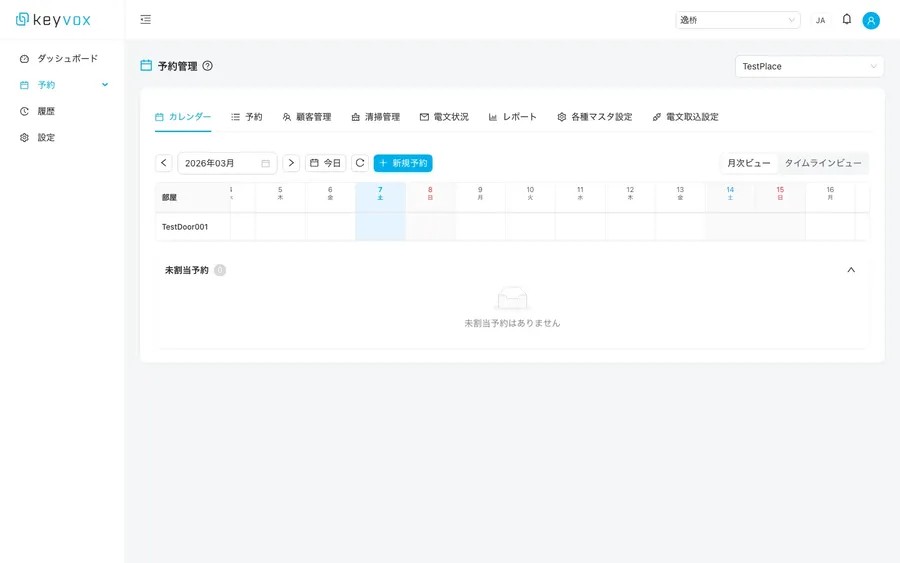
Reservation Calendar
View room-by-room reservations at a glance with monthly and timeline views.
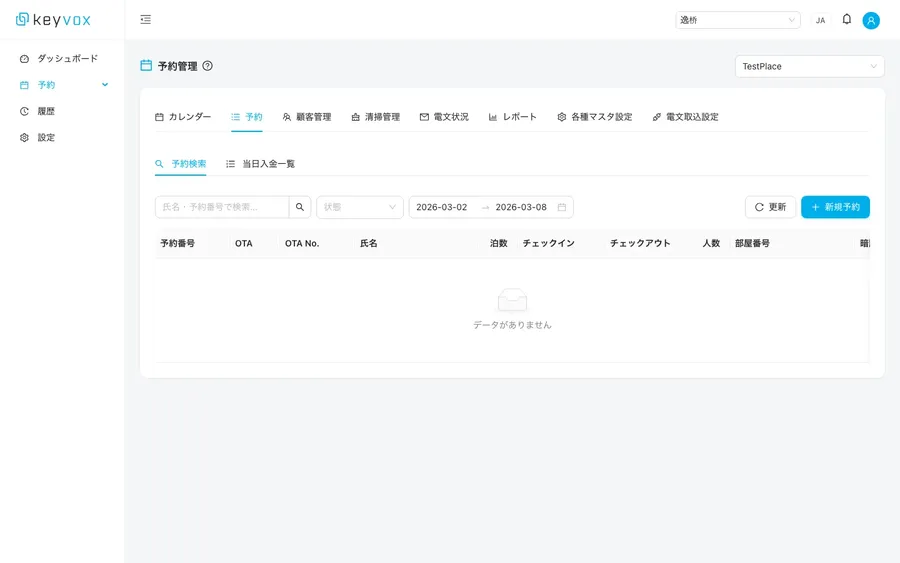
Reservation Management
OTA integration, reservation search, and daily payment summaries. Centralized reservation operations.
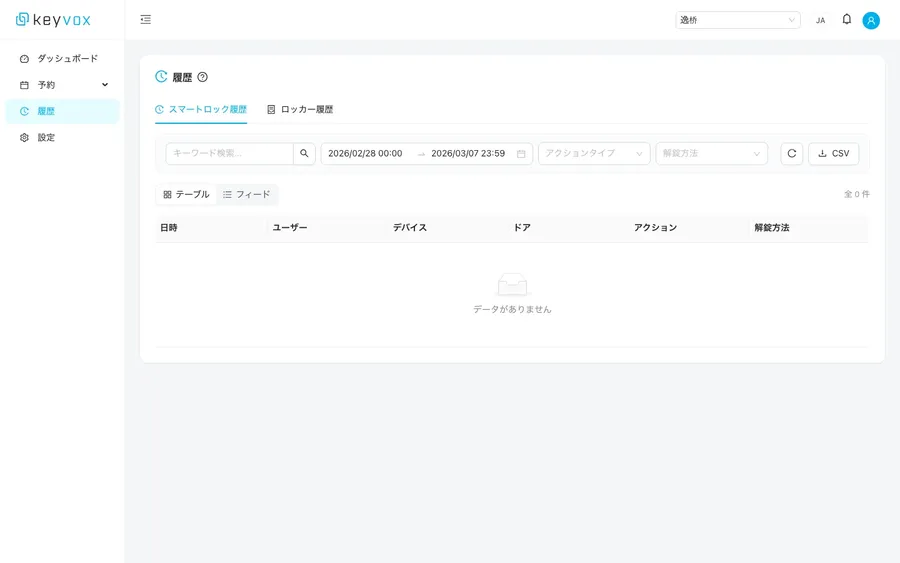
Access Logs
Complete record of who unlocked which door, when, and by which method.
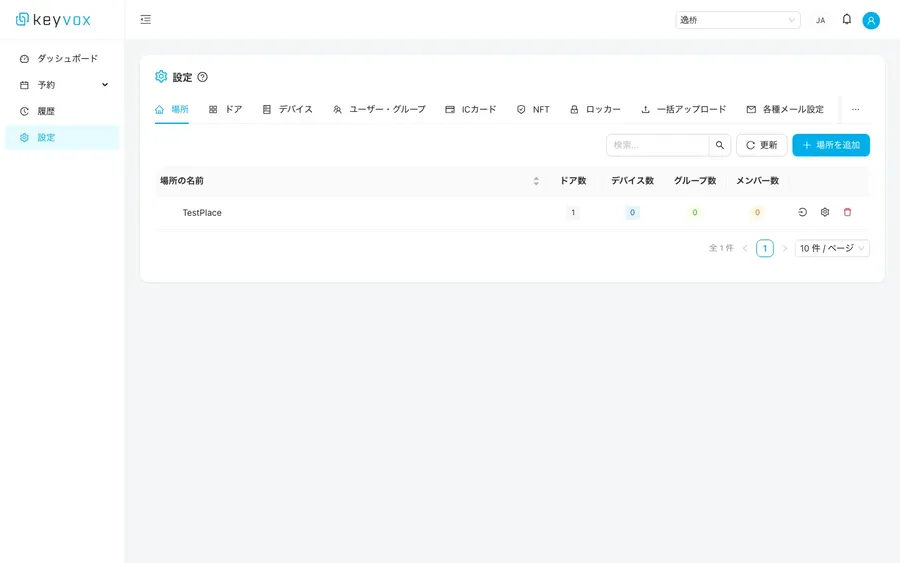
Facility & Device Settings
Intuitively manage locations, doors, devices, and user groups.
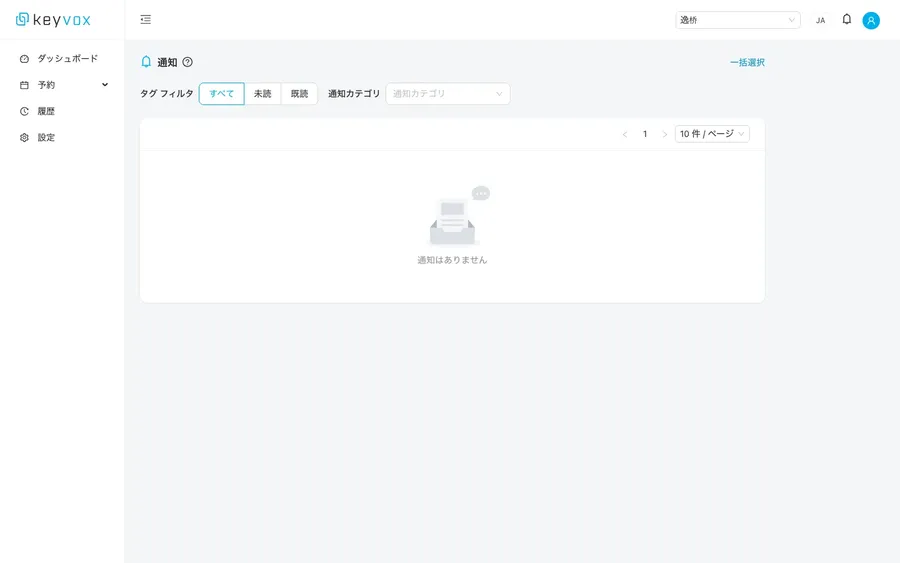
Notification Center
Never miss an alert with read/unread filters.
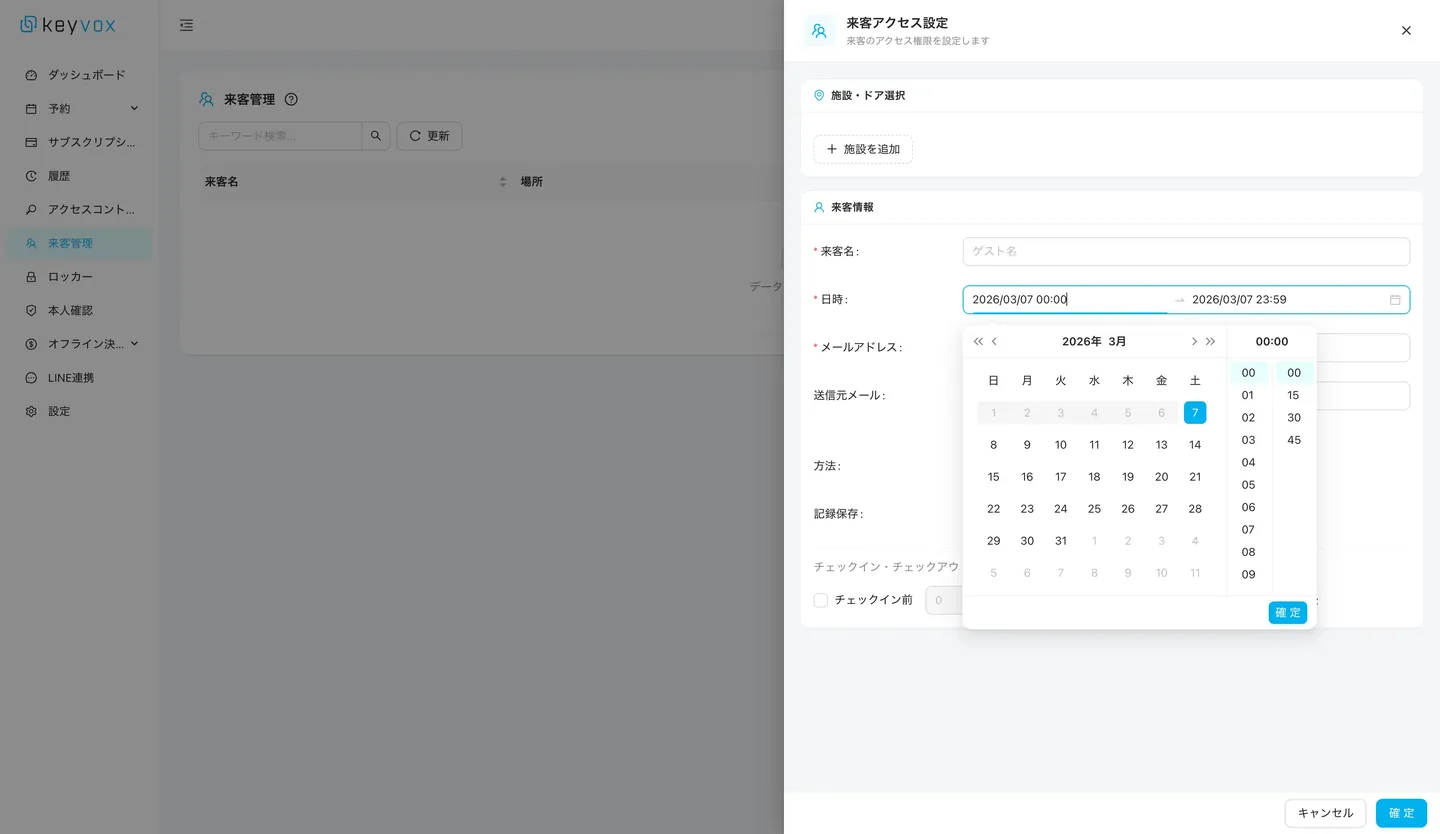
Guest Management
Manage guest access settings, schedules, email, and authentication methods in one place.
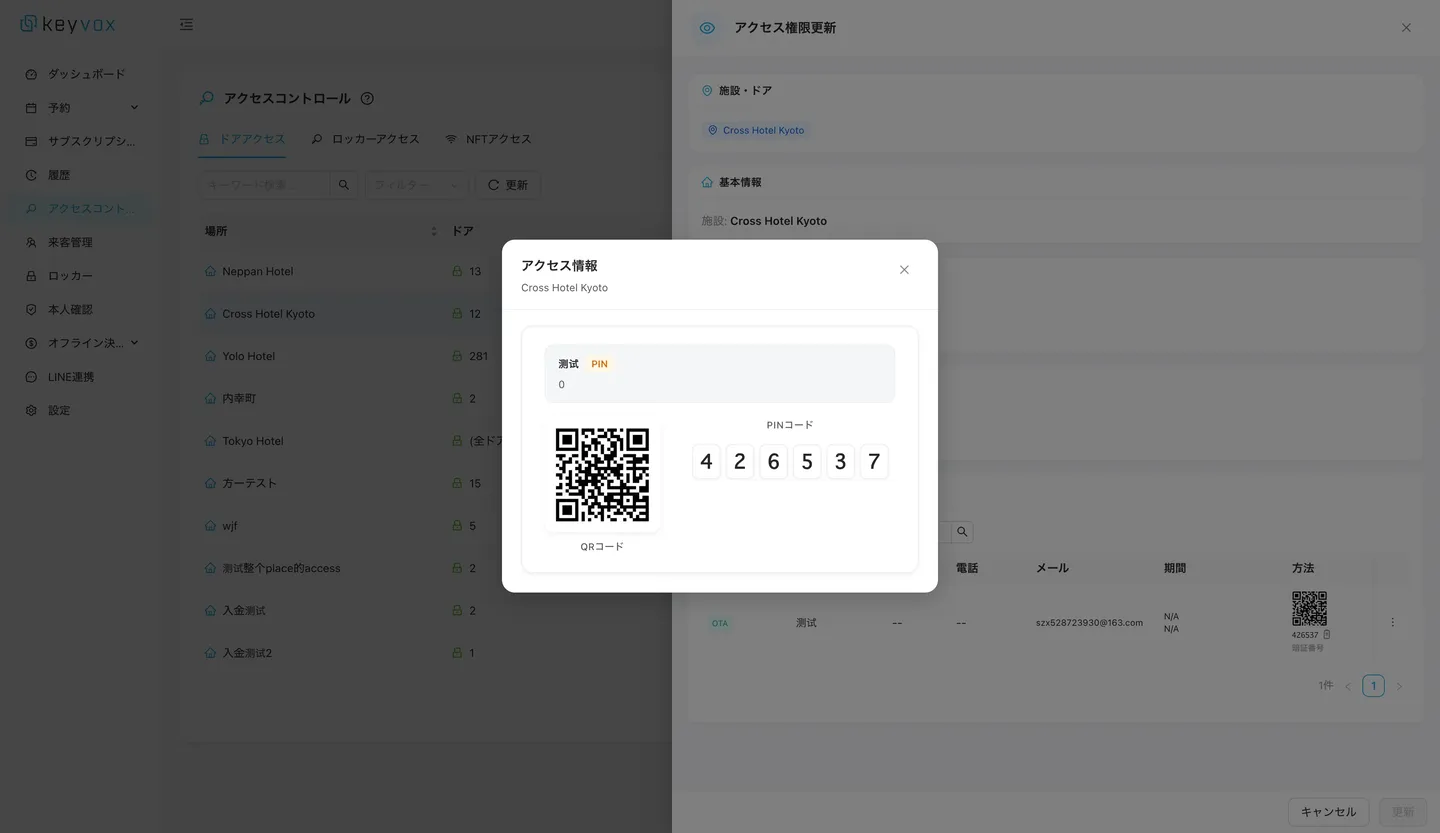
Key Issuance
Issue access permissions with QR codes or passcodes in one click.
6 Unlock Methods
Choose the optimal unlock method for your use case and installation environment
Online QR Code
QR code keys that support critical access management for hourly rentals and more. Flexible cancellation, extension, and modification. Requires Wi-Fi. Up to 1,000 registrations combined with online passcodes.
Offline QR Code
Patented technology enables remote key issuance with per-minute precision even without Wi-Fi. Unlimited issuance with immediate availability.
The only solution in the industry that can issue the same offline QR code for both entrance and individual rooms, expanding installation possibilities for facilities without Wi-Fi.
Custom QR Code
Authenticate and unlock using member QR codes managed by your own or third-party cloud. Wi-Fi is required for unlocking.
Online Passcode
Passcode keys that support critical access management for hourly rentals. Flexible cancellation, extension, and modification. Requires Wi-Fi. Up to 1,000 registrations combined with online QR codes.
Offline Passcode
Register up to 19 passcodes via the KEYVOX Basic mobile app. Works standalone without Wi-Fi.
Remote Unlock
Unlock (or lock, depending on the device) remotely via the internet when connected to Wi-Fi. Also supports API-based unlocking, making it ideal for custom app integrations.
How to Use
Create Account & Register Facility
Create a free account and register the facilities and doors you want to manage.
Install & Pair Devices
Install smart locks or smart lockers and pair them with your dashboard.
Configure Access Permissions
Set authentication methods, time slots, and validity periods for each user or group.
Start Operations
Real-time monitoring, remote operations, and access log review are now available.
FAQ
Which smart locks and lockers are supported?+
In addition to KEYVOX QR1 and BX1, we support partner devices such as SESAME, igloohome, and Akuvox. See our integration partners page for the full list.
Can I manage multiple facilities with one account?+
Yes, you can manage multiple facilities and locations from a single account. Staff permissions can be configured separately for each facility.
How detailed are the access logs?+
All events are recorded: who unlocked which door, when, and with which authentication method. Up to one year of logs can be exported to CSV for attendance management and security audits.

Get Started Today
No upfront costs, no installation needed. Start as early as today.